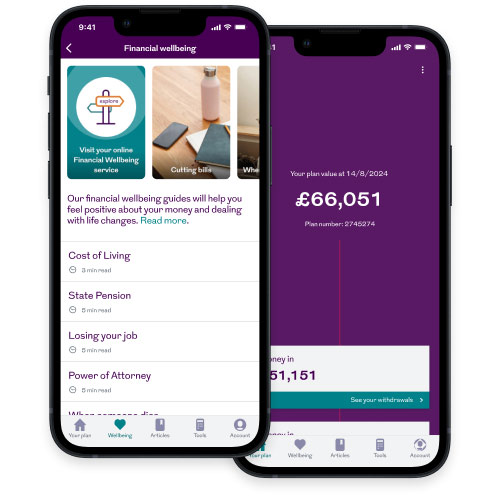
Once you’re set up online, you’ll find a range of information at your fingertips.
You can keep tabs on how your plan is doing. And depending on the type of plan you have, you can change your investments and get an idea of your potential income when you retire.
Select your plan type from the drop down menu below to find out what you can do online. Not sure what type of plan you have? No problem, visit our Find a policy page for help on how to identify the type of plan you have.
Type of plan
What you can do online
View plan details
View the value of your retirement savings
View fund factsheets and fund performance
Change your investments
Get an estimated retirement income quote
View transaction history
View contribution history
Change plan details including increasing contributions
Print a plan summary
What you can do online
View plan details
View the value of your retirement savings
View fund factsheets and fund performance
Get an estimated retirement income quote
View transaction history
View contribution history
Print a plan summary
What you can do online
View plan details
View the value of your retirement savings
View fund factsheets and fund performance
View transfer value
View death claim value
Get an estimated retirement income quotes
View transaction history
View contribution history
Print a plan summary
What you can do online
View plan details
View fund and surrender values
View fund factsheets and fund performance
Get an estimated maturity value
View death claim value
View transaction history
Print a plan summary
What you can do online
View plan details
View surrender and paid-up values
Get an estimated maturity value
View death claim value
Print a plan summary
What you can do online
View plan details
View the value of your retirement savings
View fund factsheets and fund performance
View transfer value
View death claim value
Get an estimated retirement income quote
View transaction history
View contribution history
Print a plan summary
What you can do online
Not currently available online.
Your future in your hands
Once you’ve registered for online service, you can download our mobile app to view your pension plan whenever you like.
Our mobile app's only available for certain types of plans. Take a look at our mobile app page to find out more.
Looking for help?
Our online service is designed to be simple to use but if you're having problems or would like to ask a question, we've got plenty of support available.